
A funnel in GA4 represents a structured view of the steps users take to complete a specific objective on a website or app. It tracks how users move from one interaction to the next and highlights where they drop off before completing a conversion. Unlike Universal Analytics, GA4 funnels are fully event-based, which makes them more flexible and accurate for modern user journeys across devices and platforms.
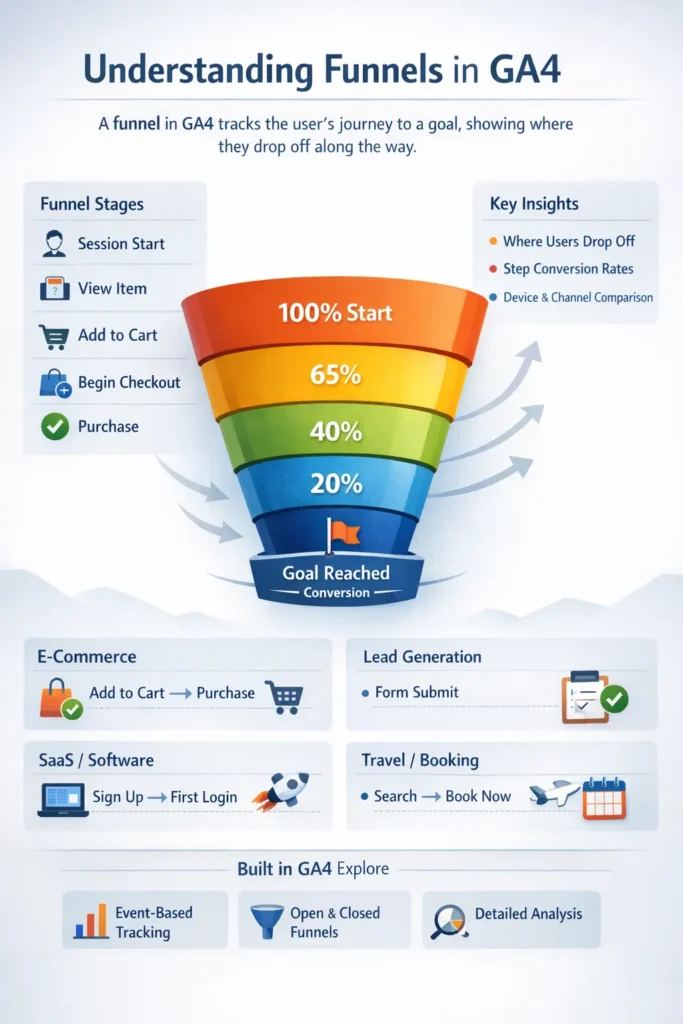
In GA4, funnels are created inside the Explore section using Funnel Exploration. Each step of the funnel is defined by an event, such as viewing a product, starting a form, or completing a purchase. This allows businesses to analyze user behavior in detail and optimize key conversion paths. Funnels help businesses understand how effectively users move through critical journeys. They identify friction points, reveal drop-offs at specific steps, and allow performance comparisons across channels, devices, and user segments. Funnels are especially useful for improving conversion rates, user experience, and marketing ROI.
Because GA4 tracks users rather than sessions, funnels provide a more realistic picture of how people interact with digital products over time.
E-Commerce Funnel in GA4
In the e-commerce industry, funnels are used to analyze the purchasing journey. A typical GA4 e-commerce funnel starts when a user begins a session and progresses through product discovery, cart actions, checkout, and finally purchase.
This funnel usually includes events such as view_item_list, view_item, add_to_cart, begin_checkout, and purchase. By analyzing this funnel, businesses can identify whether users abandon carts, struggle with checkout steps, or face payment-related issues.
Lead Generation Funnel in GA4
For lead generation websites, the funnel focuses on capturing user interest and converting it into a form submission or inquiry. The journey often begins with a session start, followed by viewing a service or landing page, navigating to a contact page, starting a form, and submitting the form.
GA4 funnels help marketers understand which pages or steps discourage users and whether forms are too long or unclear. This is especially valuable for B2B, professional services, and consultancy businesses.
SaaS Funnel in GA4
In the SaaS industry, funnels are commonly used to track sign-ups and product activation. A typical funnel includes viewing the pricing page, selecting a plan, starting the sign-up process, and completing registration.
Beyond sign-up, GA4 can also track activation funnels such as first login, creating a project, or inviting team members. These insights help SaaS companies improve onboarding and increase user retention.
Travel and Hospitality Funnel in GA4
For travel and hospitality websites, funnels track the booking journey. Users usually start by searching for availability, viewing accommodation or flight options, selecting dates, and completing the booking.
GA4 funnels highlight where users abandon the process, such as during date selection or checkout. This helps businesses optimize search functionality, pricing display, and mobile booking experiences.
Education Funnel in GA4
In the education sector, funnels are used to analyze course discovery and enrollment behavior. Users typically view a course page, explore the curriculum, click enroll, and complete either a form submission or payment.
By using GA4 funnels, education providers can measure interest levels, evaluate content effectiveness, and improve enrollment conversion rates.
Media and Content Funnel in GA4
For media and content-driven websites, funnels focus on engagement or subscription growth. An engagement funnel may track page views, scroll depth, video plays, and content completion, while a subscription funnel follows the path from premium content views to subscription purchase.
These funnels help publishers understand content performance and identify opportunities to increase reader loyalty and monetization.
Healthcare Funnel in GA4
Healthcare and clinic websites often use funnels to track appointment bookings. The journey typically includes viewing service pages, exploring doctor profiles, starting the appointment booking process, and confirming the appointment. GA4 funnels help identify where potential patients drop off and whether booking forms or navigation need improvement
Where Funnels Are Created in GA4
Funnels are built in GA4 → Explore → Funnel Exploration. GA4 allows both open and closed funnels, enabling businesses to analyze users who enter the funnel at any step or only from the beginning. Additional features such as breakdowns, comparisons, and time constraints provide deeper behavioral insights.
Best Practices for GA4 Funnels
Effective funnels depend on accurate event tracking. Events should be clearly named, consistently implemented, and marked as conversions where appropriate. Without reliable events, funnel insights can be misleading.
Proper funnel setup ensures GA4 becomes a powerful tool for understanding user journeys and driving data-driven decisions.